Modbus device simulator
Test your Modbus integration before the equipment arrives
ModLens Sim turns a PC or a Raspberry Pi into Modbus TCP and RTU devices: controllers, meters, sensors. Values move like real equipment or come from your own data, and you manage everything from a web page.
Use cases
One simulator, many jobs
Commissioning prep
Build and test BMS, SCADA or PLC mappings against simulated meters and controllers, then go on site with a working integration.
Training
Let technicians practise scanning, decoding and troubleshooting without touching live equipment.
Demos & dashboards
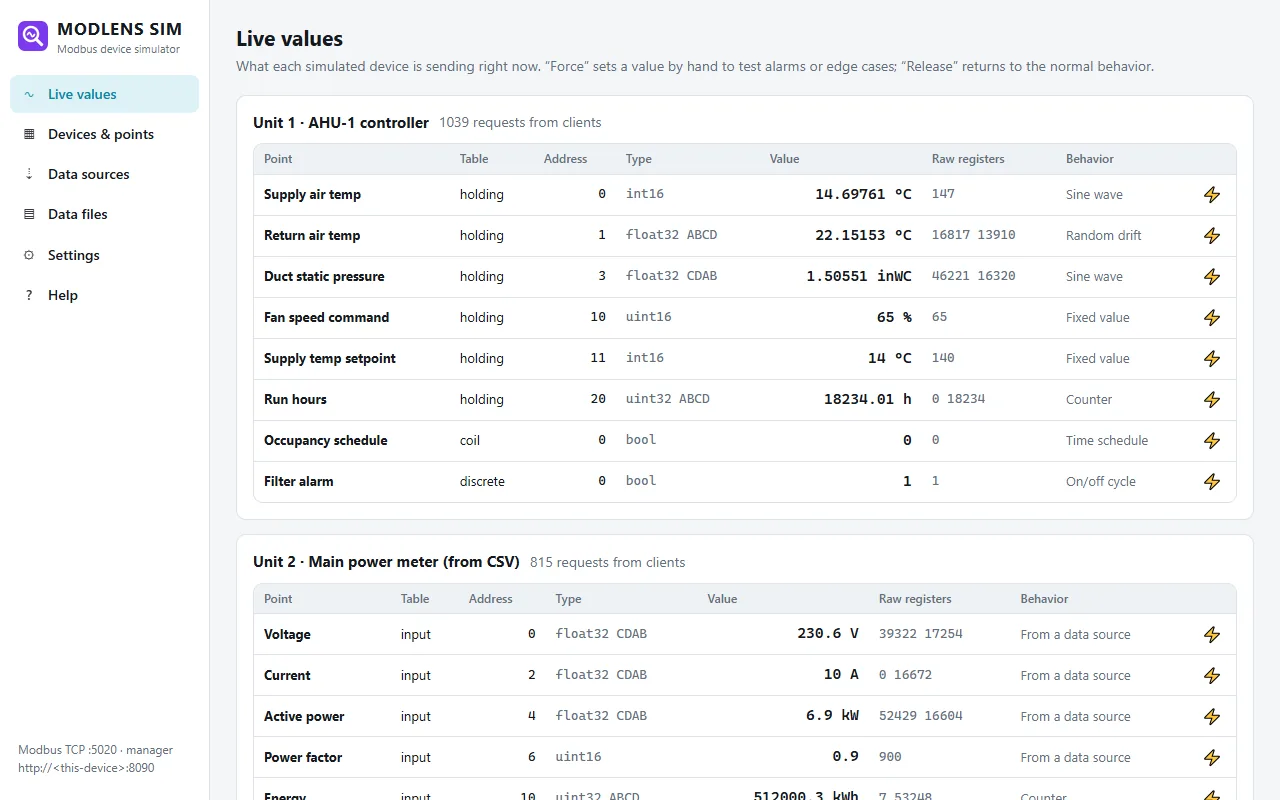
Feed a dashboard with realistic, moving data, or replay a recorded day from a CSV file at 60× speed.
Client development
Developing an Arduino, Python or PLC Modbus master? Test it against devices with gaps, word-swapped floats and exception codes.
Bridge real data
Serve values from a JSON file another program updates, or from a web API, as Modbus registers.
Alarm testing
Force any value by hand (a high temperature, a fault bit) and check your alarms trigger.
Managed from your browser
No config files to edit
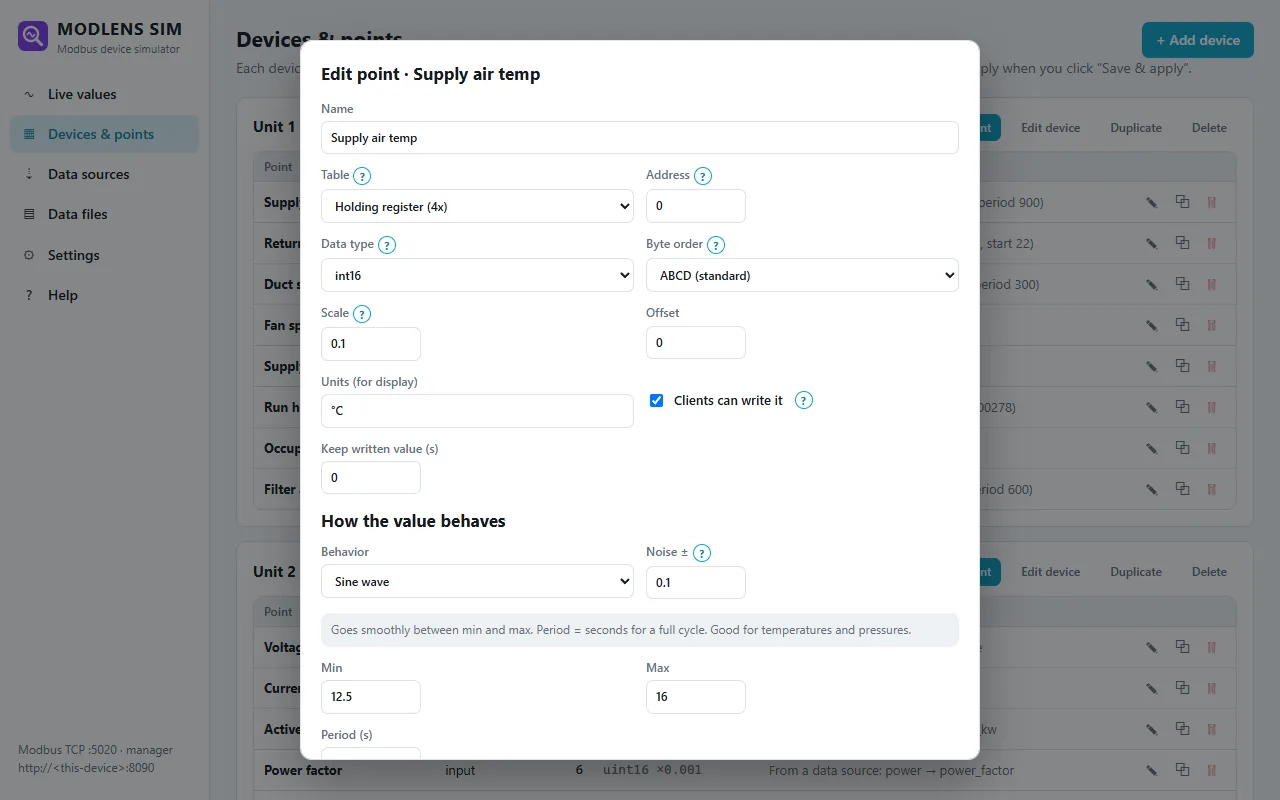
Add devices and points, choose the data type, byte order and scale, and pick how each value behaves. Changes apply as soon as you save, and the previous setup is kept as a backup.
- Fixed values, sine waves, random drift, ramps, on/off cycles, counters, sequences and time schedules
- Data types from int16 to float64 and text, in 4 byte orders, with scale and offset
- Written values are kept like on a real device, or released after a delay
- Addresses without a point return "illegal data address", like real equipment
Real data
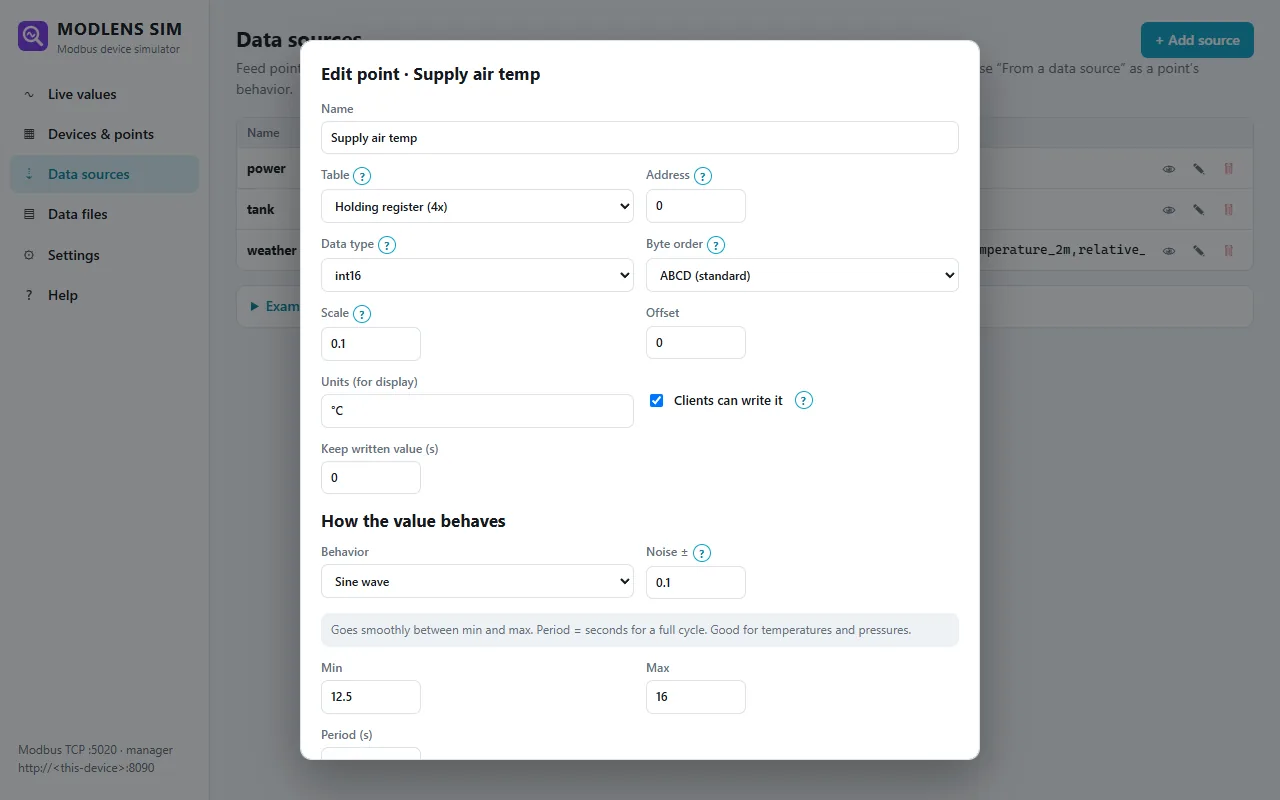
Your files and APIs become Modbus registers
- CSV and Excel: follow the latest row as the file updates, or replay rows over time with their timestamps
- Folder: point to
data/exports/*.csvand the newest file is used - JSON files: map any field with a path like
tank.level - Web APIs: poll weather, energy prices or your own server and map the JSON fields
- Preview every source's fields and current values before using them
Run it 24/7 on a Raspberry Pi
Install with one command; it starts at boot and serves the manager page on your network. Add a USB to RS-485 adapter and the Pi answers as real RTU devices on the bus.
Is ModLens Sim free?
Yes. ModLens Sim is free to download and use.
Can it simulate several devices at once?
Yes. Each device has its own unit ID, and all of them answer on the same TCP port or RS-485 bus, like devices behind a gateway.
Does it follow the Modbus standard?
It implements function codes 1–6, 15 and 16, standard exception codes and RTU framing with CRC-16, and is tested against the independent pymodbus client. See Modbus compatibility.